> For the complete documentation index, see [llms.txt](https://docs.cdev.shop/llms.txt). Markdown versions of documentation pages are available by appending `.md` to page URLs; this page is available as [Markdown](https://docs.cdev.shop/fivem/pet-system/pet-shop-configuration.md).
# Pet Shop Configuration
## Integration
By default, the pet shop can be accessed from your pet bag menu. If you want to open the shop through another way, first disable the button in the config file by setting
WantPetShopButton = false,
and then you need to trigger this event from your own script:
```lua
TriggerEvent("cdev_pets:loadShop")
```
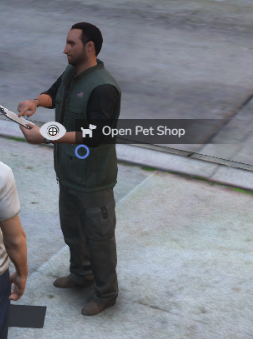
## Enabling Ped Shop
{% code title="public/config/config.lua" lineNumbers="true" %}
```lua
PedShop = {
-- If true, it will create a pet shop to use as a pet shop.
WantPedShop = false,
-- Coords to define where the ped will spawn
PedCoords = vector4(-1281.44, -1414.52, 3.35, 125.32),
-- Parameter to define the ped model.
PedModel = "a_m_m_beach_01",
},
```
{% endcode %}
## Modifying Shop Items
Shop items are available in `cdev_pets/public/config/shop.lua`
```lua
{
key = "pet_chop",
label = "Hottweiler (Female)",
price = 5000,
category = "pet_category_dog",
description = "A Hottweiler",
customization = {
drawables = {
["4"] = 1,
}
},
},
```
* `key` - Item id (from items.lua)
* When adding a pet entry, this id should be the same from pets.lua instead.
* `label` - **Only required for pet entries**, otherwise automatically obtained from items.lua
* `price` - Cost of the item
* `category` - Item category on the shop, categories are in the `config.lua` file under "Shop"
* `description` - **Only required for pet entries**, otherwise automatically obtained from items.lua
* `customization` - **Optional for pet entries,** this pet will automatically start with this customization
* drawables
* `["componentId"] = drawableId`
* textures
* `["componentId"] = textureId`
* `vip` - If true and if VIP enabled in the config, item will have golden highlight and only be purchaseable if has VIP status
* `canBeK9` - Determines if a pet is eligible to be bought as K9